What it is
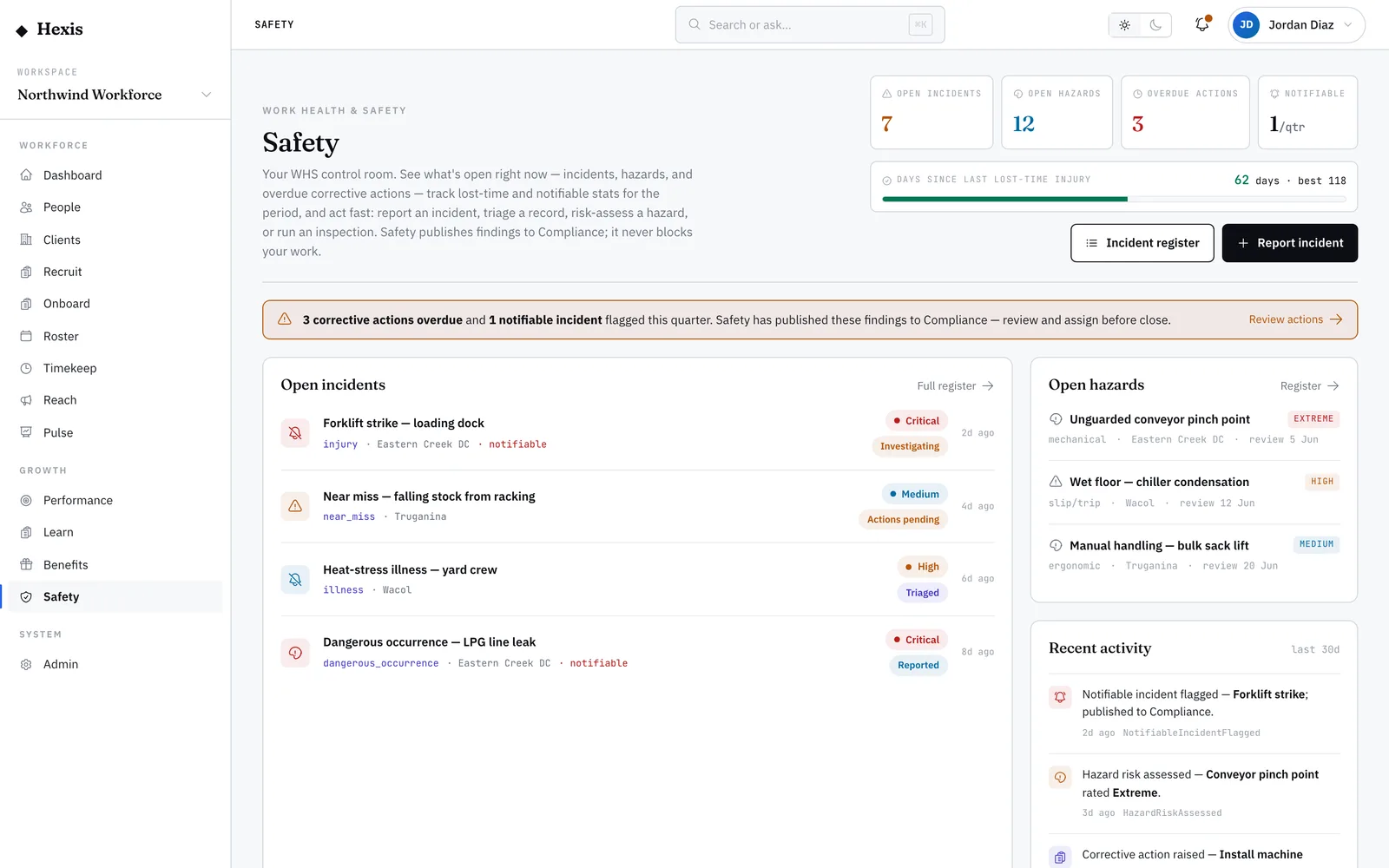
Your personal safety view is your own corner of the safety record. It answers three questions in one place: what did I report, what do I owe, and what must I acknowledge. You see the incidents you raised and how they are progressing, the corrective actions assigned to you with overdue ones highlighted, and the method statements waiting for your sign-off before a shift.
Safety only works when everyone carries their part, and this view makes your part impossible to miss. No more wondering whether the near miss you reported went anywhere, or being surprised on site by a sign-off you never did. It keeps your obligations in front of you so you can clear them before they become a problem.
When to use it
- You want to check what happened to an incident you reported
- You need to see the safety actions assigned to you
- You have a method statement to acknowledge before a shift
- You want to clear an overdue action before it is flagged
How it works
Step by step.
- 1
Check your reported incidents
See the incidents you raised, their type, severity and status. Open one to follow how it is progressing.
- 2
Review your assigned actions
See the corrective actions assigned to you, the incident or hazard each relates to, and its due date. Overdue ones stand out.
- 3
Update or close an action
Mark progress on an action, or close it when the fix is done, straight from this view.
- 4
Clear your acknowledgements
See the method statements you must acknowledge and sign them off before you start the matching work.
Worked example
Follow it through.
The scenario
Maya Chen checks her personal safety view before her Wednesday shift at Harbour Point Terminal.
- 1 Open the reported-incidents list and see the near miss she logged last week is now Under investigation.
- 2 Check assigned actions: "Tidy cable run at Dock 2" is due today and highlighted as nearly overdue.
- 3 Confirm the cable run is done and close the action from the view.
- 4 See a pending acknowledgement: the "Working at heights — mezzanine" method statement.
- 5 Read and acknowledge the method statement before starting her mezzanine task.
The result
Maya’s view is clear — her reported incident is tracked, her action is closed, and her height-work method statement is acknowledged ahead of the shift.
Tips & notes
Good to know.
- Glance at this view at the start of a shift; an overdue action and an unsigned method statement are both quick to clear early.
- Following a reported incident here saves chasing a coordinator to ask where it went.
- Acknowledging a method statement is your confirmation you understand the safe steps — read it, do not just tick it.
- If an action assigned to you is not actually yours, raise it so it gets reassigned rather than going overdue on your name.
When you’re done
You know exactly what you reported, what you owe and what to acknowledge, with nothing on your name slipping overdue.