What it is
An application link is a public URL you hand out — on a flyer, a QR code, a campaign or a social post — that opens a branded form. Anyone who fills it in becomes a candidate in your pipeline, tagged with the link they came from, with their details captured automatically. No inbox, no manual keying.
This is how you run volume sourcing without drowning. One link per campaign or channel means every applicant is captured cleanly and attributed to its source, so you can see which flyer, board or event actually delivered. The form is org-branded, so candidates get a consistent, professional first impression.
When to use it
- You’re running a campaign and want one trackable apply point
- You need a QR code for a site flyer or event
- You want applicants captured without manual data entry
- You want to know which channel each candidate came from
How it works
Step by step.
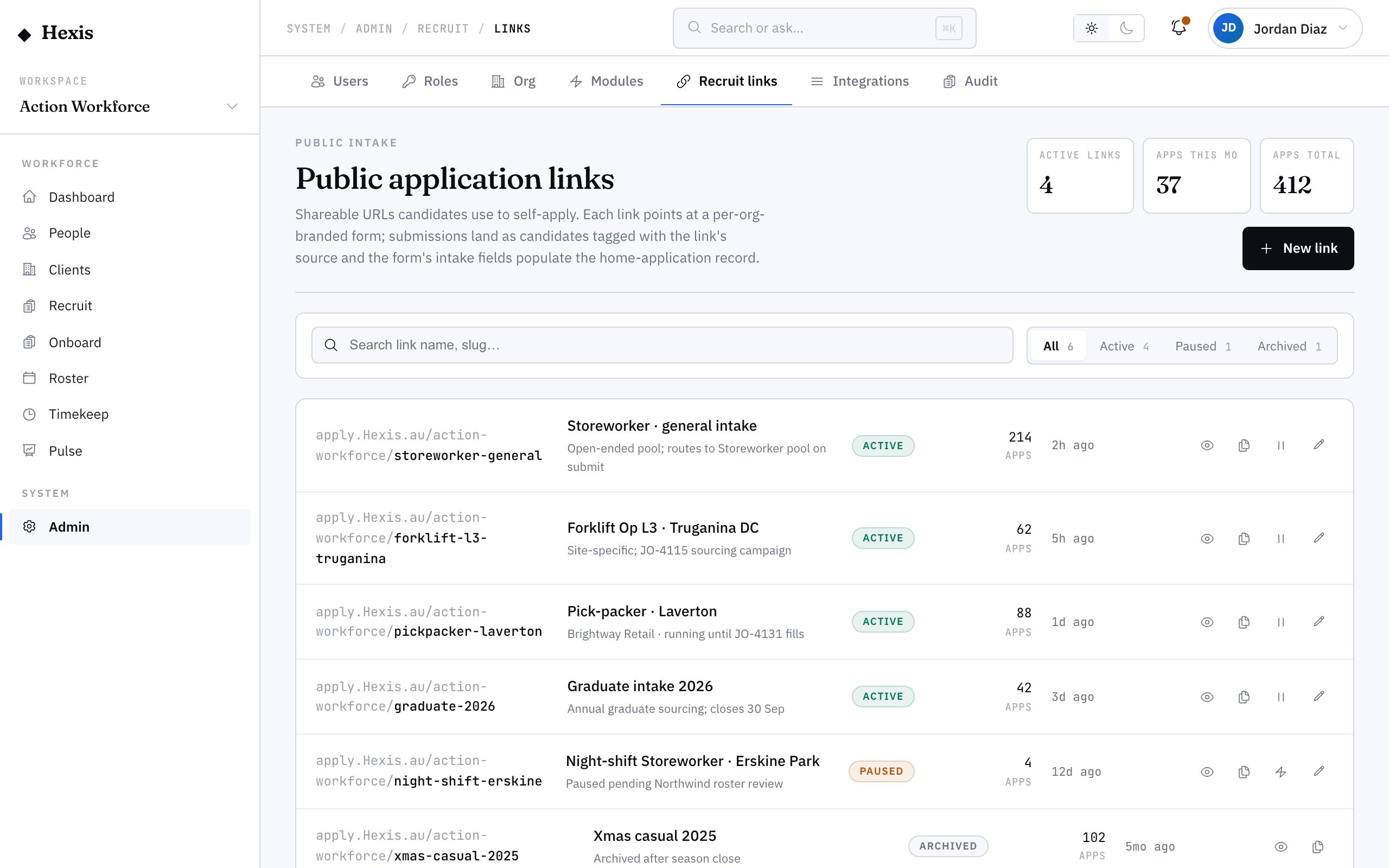
- 1
Create a link
Start a new application link and give it a clear name — usually the campaign, channel or site it’s for.
- 2
Set the branding and fields
The form carries your org branding. Confirm what you ask applicants for so the capture matches the role.
- 3
Generate the URL
Hexis mints a shareable URL for the link. This is what you put on flyers, QR codes and posts.
- 4
Share it where your candidates are
Drop the link into a campaign, turn it into a QR code, or print it on a site flyer.
- 5
Watch candidates land
Each submission creates a candidate in your pipeline, tagged with this link as the source, with their intake details attached.
Worked example
Follow it through.
The scenario
You’re sourcing event stewards for Summit Events and want a QR code for venue flyers.
- 1 Create a link named "Summit Events — venue flyer".
- 2 Confirm the form asks for name, contact, right-to-work and availability.
- 3 Generate the URL and turn it into a QR code for the flyer.
- 4 Print the flyer for the venue; stewards scan it as they pass.
- 5 Tom Okafor scans the code, fills the form, and lands in your pipeline.
The result
Every flyer applicant becomes a candidate tagged "Summit Events — venue flyer", so you can see exactly how many stewards that flyer delivered.
Tips & notes
Good to know.
- Use one link per channel — separate flyer, social and board links — so attribution is meaningful.
- The form is branded to your org, so candidates get a consistent experience whatever the channel.
- Pair the link with a QR code for anything physical: site notices, event flyers, vehicle wraps.
- Because the source is captured automatically, you can later compare channels on volume and quality.
When you’re done
A branded, trackable application link feeding attributed candidates straight into your pipeline.