What it is
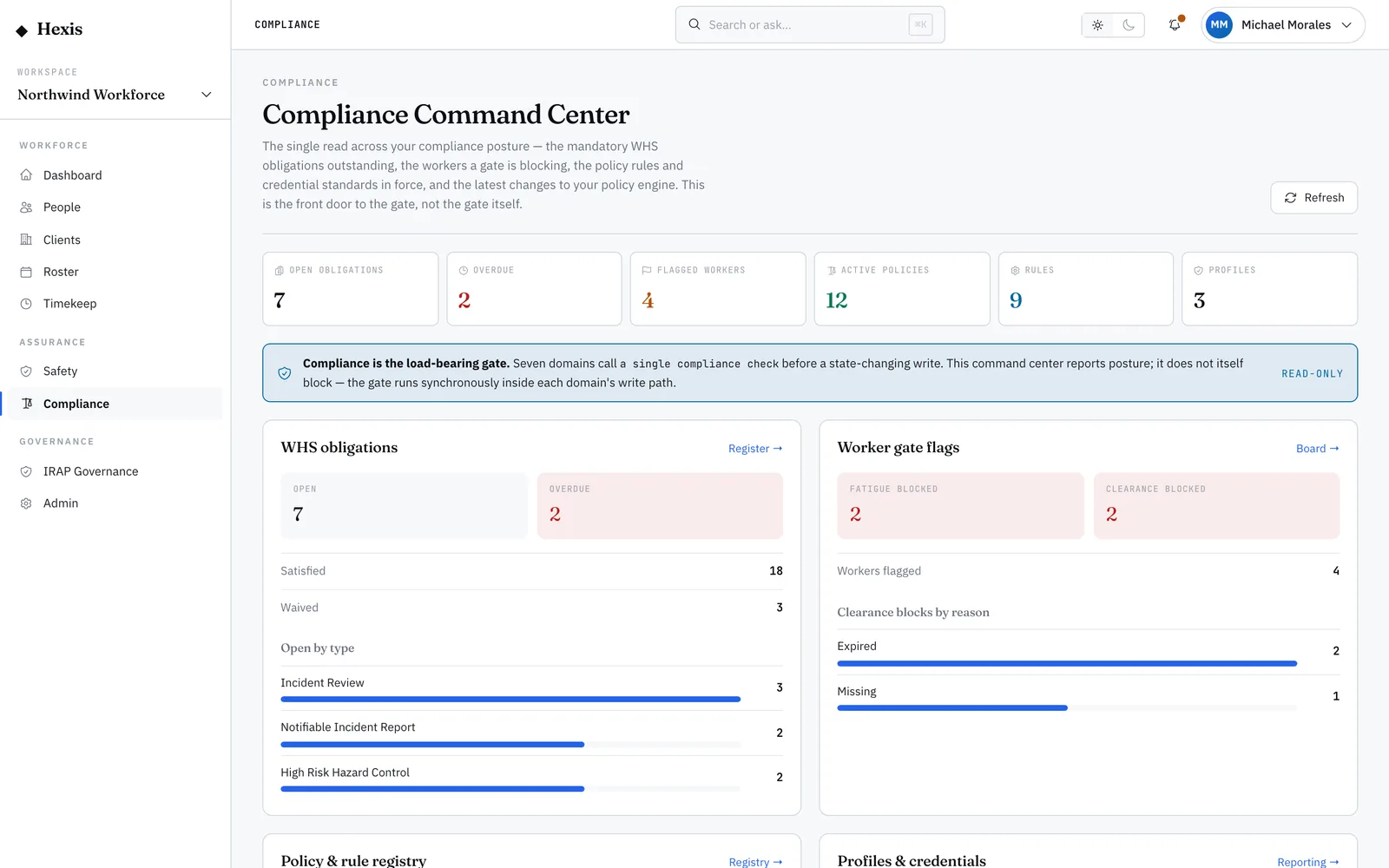
The obligations register is the list of mandatory actions your safety processes have raised — high-severity incident reviews, notifiable-incident reports, high-risk hazard controls. Each obligation carries a deadline bucket: overdue, due soon or on track. It is the single place a safety officer goes to see what must be done and by when.
Each obligation has only two honest endings: you satisfy it, recording that the required action was actually completed, or you waive it with a documented reason. Working the register keeps the operation defensible — every mandatory action is either done or accounted for, and nothing sits open and forgotten until it becomes the finding an auditor writes up.
When to use it
- A high-severity incident has raised a review you must complete
- A notifiable incident needs reporting within its deadline
- You are checking which safety actions are overdue or due soon
- You have completed a required action and need to record it
- An obligation no longer applies and needs waiving with a reason
How it works
Step by step.
- 1
Open the register
Every mandatory action the safety process has recorded is listed, each with its deadline bucket and current status.
- 2
Filter by status
Narrow to open, satisfied or waived. Start with open obligations, since those are the ones still owing.
- 3
Read the deadline bucket
Each obligation shows whether it is overdue, due soon or on track, so you can prioritise the ones at risk of breach.
- 4
Satisfy a completed action
When the required action is genuinely done, mark the obligation satisfied — it moves out of the open list with a record of completion.
- 5
Waive with a reason
If an obligation no longer applies, waive it and record why. The reason is kept so the decision is defensible later.
Worked example
Follow it through.
The scenario
A forklift near-miss at Docklands Distribution Centre has raised a high-risk hazard-control obligation due in three days.
- 1 Open the obligations register and filter to Open.
- 2 The hazard-control obligation for Docklands shows in the "due soon" bucket at three days.
- 3 The control — a new exclusion zone and refresher briefing — has been put in place.
- 4 Mark the obligation satisfied, noting the control implemented.
- 5 Check the register again; the overdue and due-soon counts have dropped.
The result
The hazard-control obligation is closed as satisfied with a record of the action taken, and the register shows nothing overdue for Docklands.
Tips & notes
Good to know.
- Satisfy means the action was actually done — do not use it to clear an obligation you have not completed; waive it honestly instead.
- Always record a real reason when you waive; a blank waiver is exactly what an auditor questions.
- Work the overdue bucket first — those are the obligations already past their mandated deadline.
- The register is the evidence trail: a closed obligation carries who closed it, when, and how, which is what makes the operation defensible.
When you’re done
Every mandatory safety action is either completed and recorded or waived with a reason, leaving a clean, defensible obligation register.