What it is
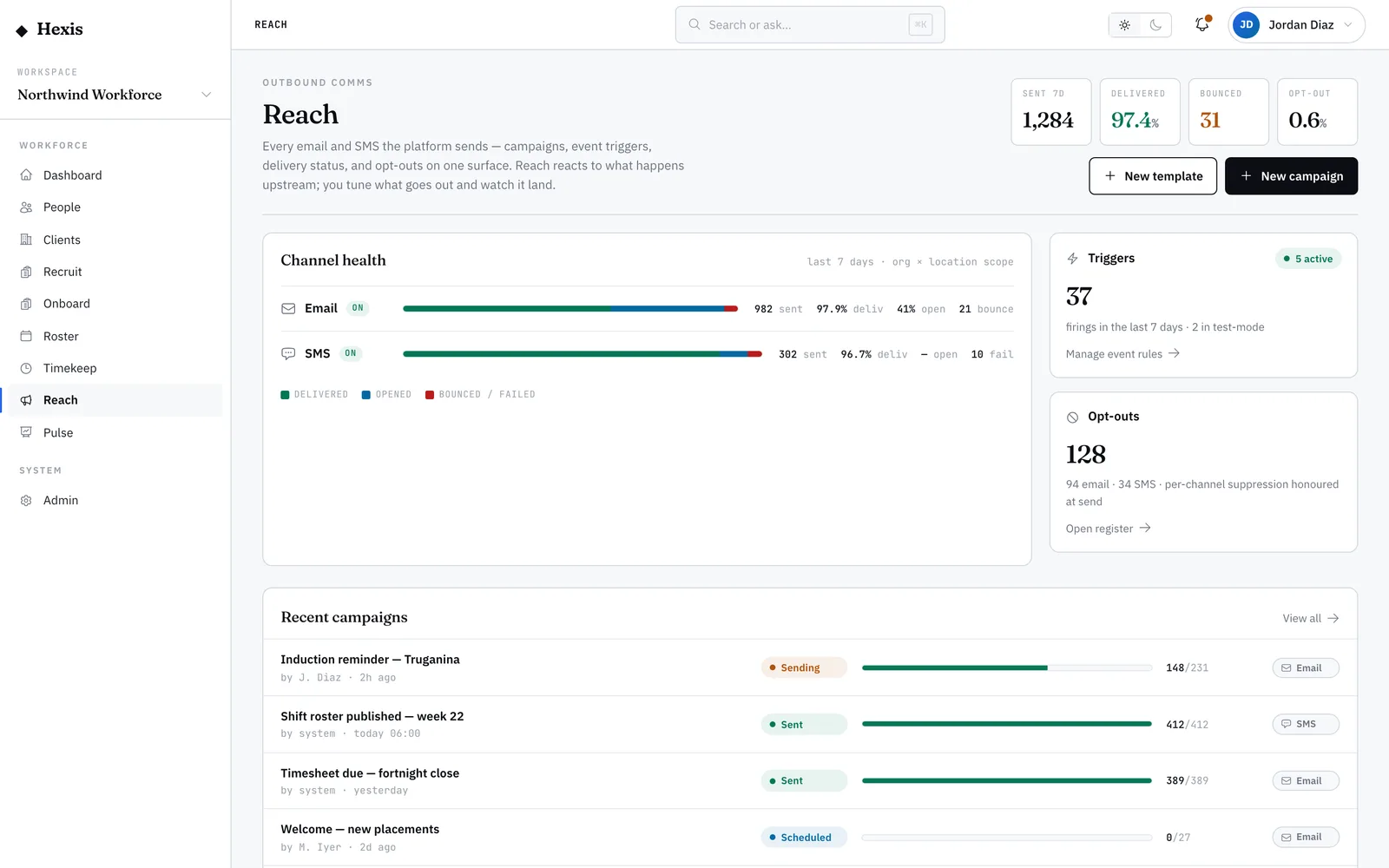
A campaign is a one-shot send to many people: a policy reminder, an open-shifts call-out, a re-engagement nudge to dormant candidates. You build it in one place — define the audience with a few filters, see the reachable count update live, pick the template and channel, and either send now or schedule it. Nothing goes out until you’re happy with the dry-run.
Use a campaign whenever the message is the same but the audience is a group. The audience builder is scoped to your sites, so you only ever address people you’re responsible for. A dry-run resolves exactly who would receive it — after opt-outs are removed — so there are no surprises when you press send.
When to use it
- You need to tell a whole group of workers the same thing
- A pool of candidates has gone quiet and you want to re-engage them
- Open shifts need to reach every eligible worker at a site
- A policy or roster change affects everyone on a client account
How it works
Step by step.
- 1
Set the goal and audience
Start a new campaign and filter the audience by role, site, status or pool. A reachable count updates as you add filters, so you always know how many people you’re about to message.
- 2
Pick the template and channel
Choose an active template and the channel to send on. The template’s variables fill in each person’s details when the campaign resolves.
- 3
Run a dry-run
Preview exactly who would receive the campaign. Opt-outs are stripped out here, so the dry-run count is the real send count.
- 4
Send now or schedule
Send immediately, or set a date and time and let it go out then. A scheduled campaign sits in the queue until its moment.
- 5
Watch it land
The campaign moves through its lifecycle — scheduled, sending, sent — and a progress bar shows queued, sent and delivered counts as it rolls.
Worked example
Follow it through.
The scenario
Northwind Workforce has 40 open Warehouse Operator shifts at Docklands Distribution Centre for Coastline Logistics next week.
- 1 Start a new campaign; filter to Warehouse Operators at Docklands Distribution Centre who are available — the reachable count reads "62".
- 2 Pick the "Open shifts available" template and choose SMS as the channel.
- 3 Run the dry-run; after opt-outs it resolves to 58 recipients.
- 4 Choose to send now.
- 5 The progress bar fills as 58 messages move from queued to delivered.
The result
Fifty-eight available operators get the call-out within minutes, the campaign shows "Sent — 58 delivered", and replies start arriving to fill the shifts.
Tips & notes
Good to know.
- Always run the dry-run — it’s the only count that matters, because it’s already had opt-outs removed.
- Tighten the audience with one more filter rather than messaging too broadly; a smaller, relevant send gets better replies.
- Schedule sends for when people actually look at their phone — early morning or end of shift, not the middle of the night.
- Reaching across multiple sites needs an admin to authorise it; by default you’re scoped to your own.
When you’re done
A targeted message reaches a whole audience in minutes, with a live count of how many were delivered.