What it is
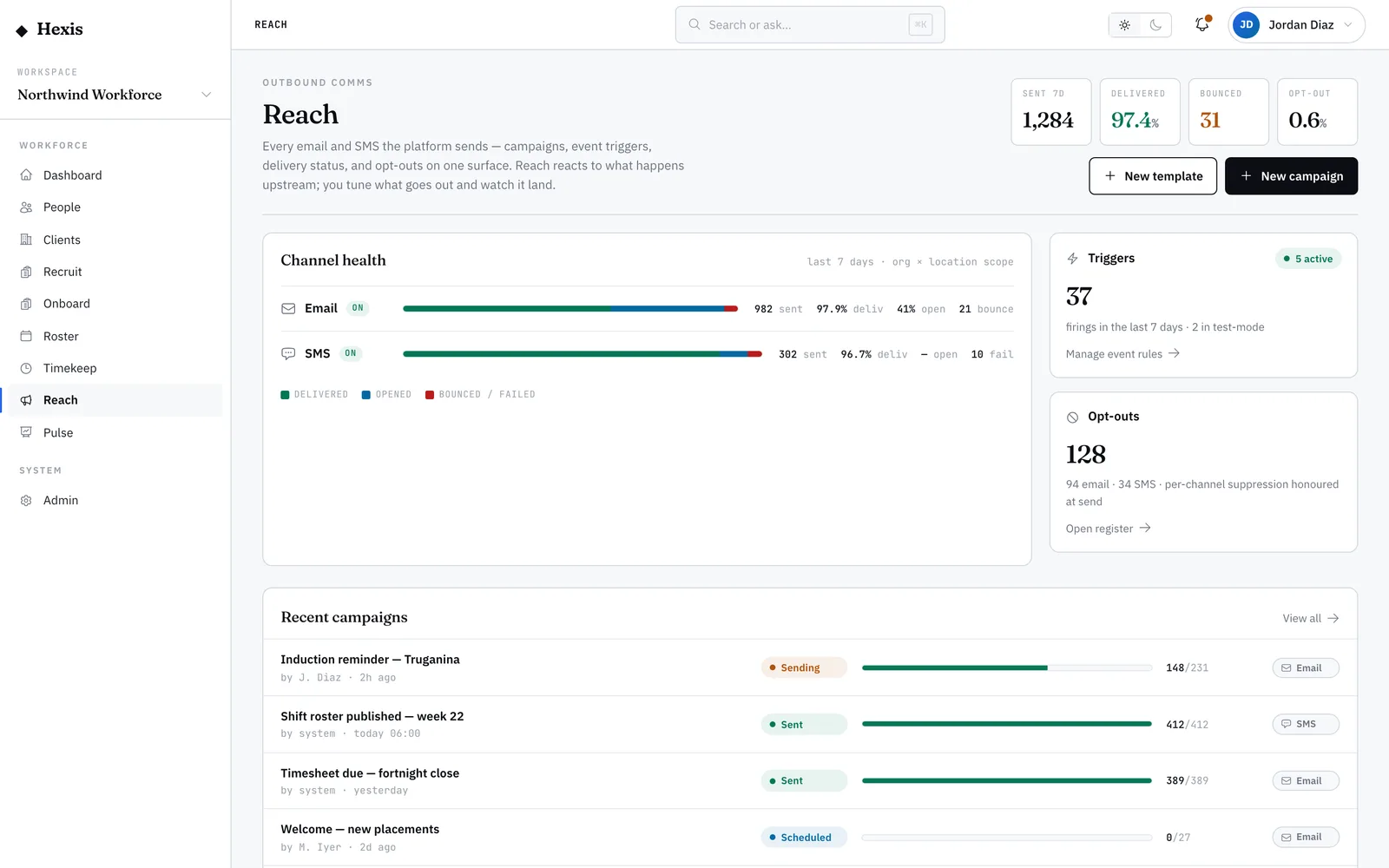
A one-off message is a single, deliberate send: a reminder, a heads-up, a document request, a quick check-in. You choose the channel — SMS or email — pick the recipients, either type the message or drop in a saved template, and send. It’s the everyday way to reach someone without standing up a whole campaign.
Use it when the moment is specific and small: a shift starts early tomorrow, a certificate is about to lapse, a client changed the brief. Hexis already knows each person’s preferred channel and whether they’ve opted out, so the message only goes where it’s allowed to land — and replies come straight back into the thread.
When to use it
- You need to tell one or a few workers something now
- A document or detail is missing from someone’s record
- A shift detail changed and the assigned worker needs to know
- You want to ask a quick question and get a reply back in one place
How it works
Step by step.
- 1
Start a new message
Open the outreach view and choose to send a new message. Pick the channel — SMS for something short and urgent, email when you need a subject line and more room.
- 2
Choose the recipients
Add one worker or a small group by name. Anyone who has opted out of that channel is held back automatically, so you don’t have to remember.
- 3
Write it or use a template
Type the message, or drop in a saved template and let the variables fill in each person’s name and details. You can edit after the template loads.
- 4
Check the preview
See exactly what each recipient will receive, with their details merged in. Fix any wording before it leaves the platform.
- 5
Send
Send the message. It appears in the outreach log with a live delivery status, and any reply threads back to the same place.
Worked example
Follow it through.
The scenario
Tom Okafor’s security licence expires Friday and you need the renewed copy before his next shift at Riverside Plaza.
- 1 Open outreach and start a new message; choose SMS as the channel.
- 2 Add Tom Okafor as the recipient — his channel shows as allowed.
- 3 Drop in the "Document request" template; it merges to "Hi Tom, we need your renewed security licence before Fri 13 Jun".
- 4 Check the preview, then send.
- 5 The message shows "Delivered" in the outreach log a few seconds later.
The result
Tom gets the request on his phone, the send is logged with a delivered status, and his reply with the document lands back in the same thread.
Tips & notes
Good to know.
- For anything urgent, SMS lands faster and gets read sooner than email.
- If a recipient is greyed out, they’ve opted out of that channel — switch channels or check the opt-out register.
- Templates save you re-typing the same request; keep the common ones (document request, shift reminder) handy.
- Replies are matched back to the original message, so the whole exchange stays in one thread rather than scattered across inboxes.
When you’re done
The right people get a clear message on the channel they prefer, the send is logged, and any reply comes back in one thread.