What it is
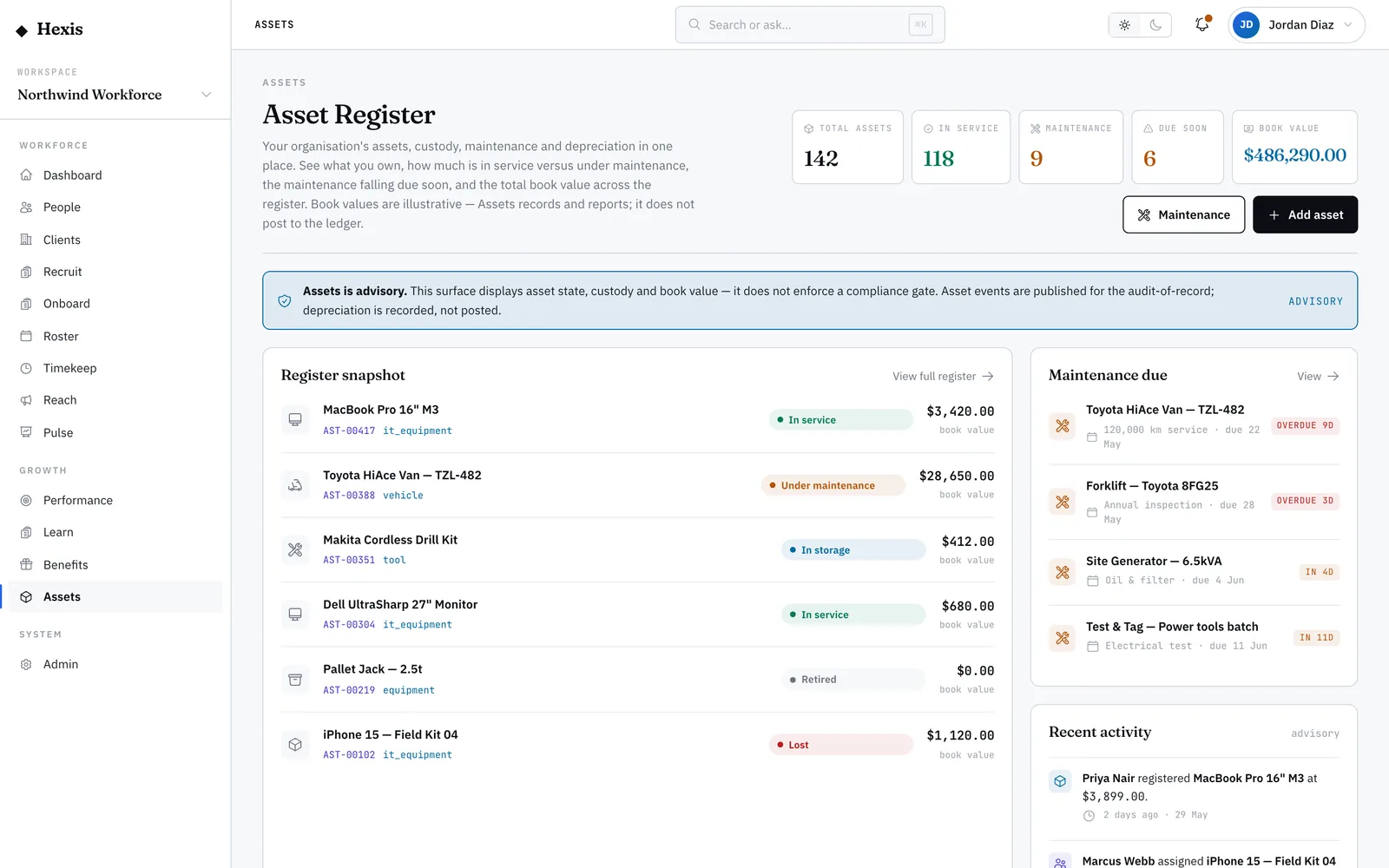
Asset reporting is the read-only control room over everything else in the suite. It pulls the register, maintenance, custody and bookings together into one set of figures: how many assets you hold and what they are worth, the split between in service and under maintenance, what is overdue or due soon, and how much kit is out on loan or reserved. There are no forms here — every number is a derived total you can trust to be current.
Use it for the questions leadership asks: how big is the base, how much value sits in it, and is it being looked after. Because the figures are read straight from the live data, the report and the underlying screens never disagree, which makes it a safe basis for audits, budgets and renewal decisions.
When to use it
- You need headline numbers on the size and value of the asset base
- You are preparing for an audit, a budget review or a renewal decision
- You want the status split — in service versus under maintenance — at a glance
- You need to gauge how much kit is out on custody or reserved
How it works
Step by step.
- 1
Open reporting
You land on a read-only roll-up. Nothing here is editable — every figure is a live aggregate of the underlying data.
- 2
Scan the KPI band
Start at the headline tiles: total assets and total value tell you how big and valuable the base is.
- 3
Read the register breakdown
See the split by status and category — how much is in service, under maintenance or retired, and where the value sits.
- 4
Check maintenance health
Read the counts of overdue and due-soon services to judge whether the base is being kept up.
- 5
Review custody and bookings
See how many items are out on assignment and how many are reserved, to gauge utilisation across the operation.
Worked example
Follow it through.
The scenario
Northwind Workforce’s asset manager prepares a quarterly base review for leadership.
- 1 Open reporting; the KPI band shows 312 assets, total value $486,000.
- 2 The register breakdown shows 284 in service, 19 under maintenance, 9 retired.
- 3 Maintenance shows 4 overdue and 11 due soon.
- 4 Custody shows 96 items out on assignment; bookings show 7 reserved.
- 5 Note the four overdue services to follow up before the review.
The result
A clean snapshot of base size, value, status, maintenance health and utilisation, ready to present and consistent with every detail screen.
Tips & notes
Good to know.
- Every figure is read-only and live, so the report always matches the register, maintenance and custody screens.
- A rising under-maintenance share is an early signal that servicing is slipping — chase the overdue queue.
- Total value here is the sum of current book values, so it falls as assets age and depreciate.
- Use the custody and booking totals to spot kit that is over- or under-used across sites.
When you’re done
A trustworthy, audit-safe snapshot of your asset base — size, value, status, maintenance and utilisation.