What it is
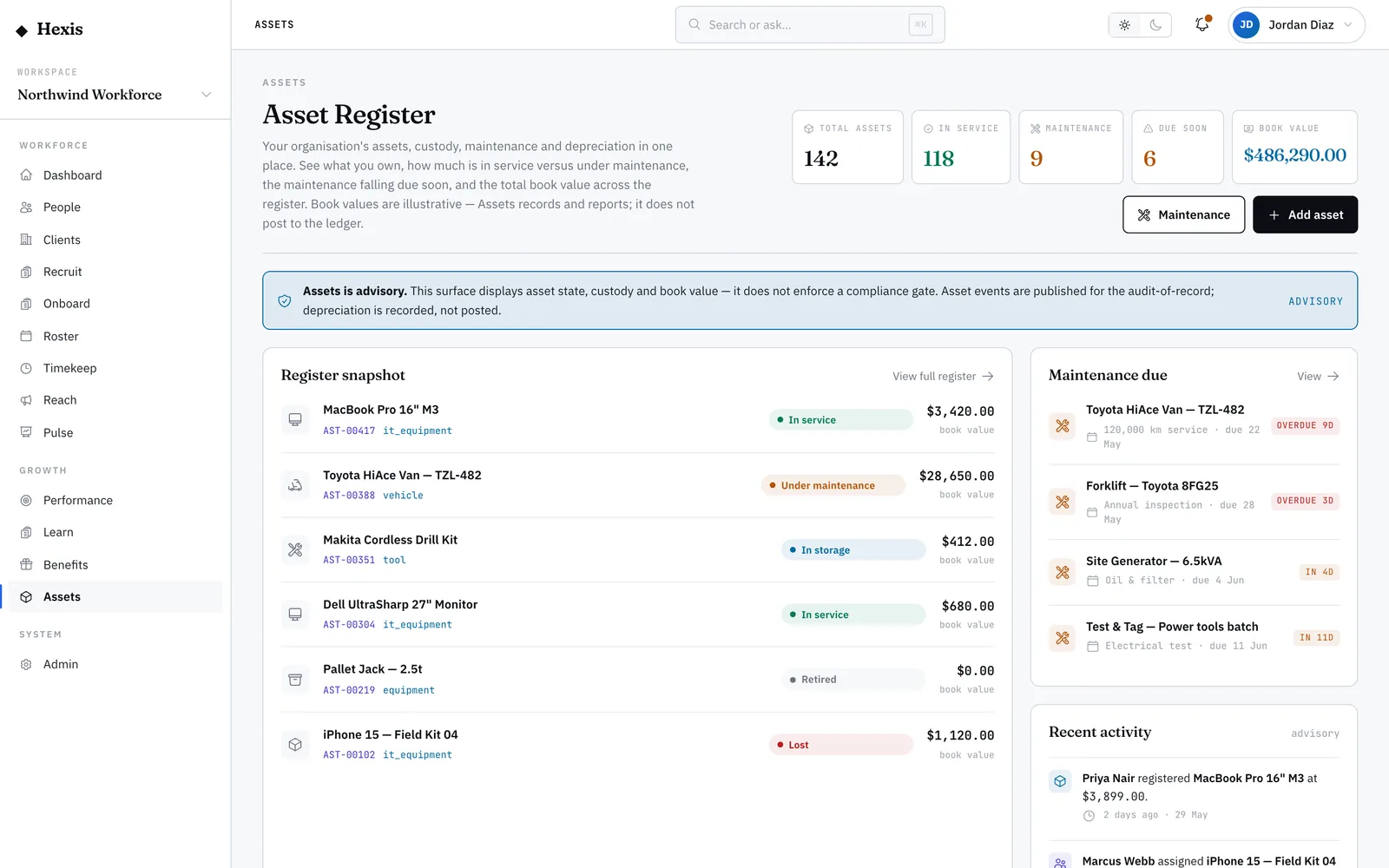
Maintenance scheduling keeps your equipment serviced before it fails. A service plan binds to an asset and repeats on an interval — every so many days, weeks, months, usage hours or kilometres. From the last-serviced date, the next-due date is worked out for you, and each plan is flagged overdue, due soon or fine, so you never have to track dates by hand.
It is the difference between planned downtime and a forklift that stops mid-shift. Set plans on anything that needs regular attention, watch the due-soon and overdue queue, and log each service as the work is done so the next date rolls forward automatically. A paused plan stops nagging you for kit that is out of action.
When to use it
- A piece of equipment needs regular servicing to stay safe and working
- You want one place to see everything overdue or coming due
- A service has just been carried out and needs recording
- An asset is out of action and its plan should pause until it returns
How it works
Step by step.
- 1
Open the maintenance hub
You see two stacked lists: the recurring service plans, and the log of services already done.
- 2
Add a service plan
Bind a plan to an asset and set its interval — a value plus a type, like 3 months or 250 usage hours. Set when it was last serviced.
- 3
Read the due state
Each plan shows its next-due date and a flag: overdue, due soon or fine. The queue surfaces what needs attention first.
- 4
Log a completed service
When the work is done, log the service against the plan. The last-serviced date updates and the next-due date rolls forward on its own.
- 5
Pause when needed
If an item is retired or out of action, pause its plan so it stops appearing as due — resume it when the item is back.
Worked example
Follow it through.
The scenario
The forklift AST-00417 at Docklands Distribution Centre needs a service every three months.
- 1 Open the maintenance hub and add a plan for AST-00417.
- 2 Set the interval to 3 months and last serviced to Wed 5 Mar.
- 3 The next-due date computes as Thu 5 Jun and flags “Due soon”.
- 4 The workshop services it on Tue 3 Jun; log the service with that date.
- 5 The next-due date rolls forward to Wed 3 Sep and the flag clears.
The result
The forklift has a live three-monthly plan, the completed service is on the log, and the next date is set without any manual diary work.
Tips & notes
Good to know.
- Choose the interval type that matches how the item wears — hours or kilometres for plant, months for PPE checks.
- Work the overdue items first; an overdue flag is the one most likely to become a breakdown.
- Logging a service is what rolls the next date forward — skip it and the plan will keep showing as due.
- Pause rather than delete a plan for kit that is temporarily out, so its history stays intact for when it returns.
When you’re done
Your equipment is on dated, repeating service plans, with overdue work surfaced and every service logged.