What it is
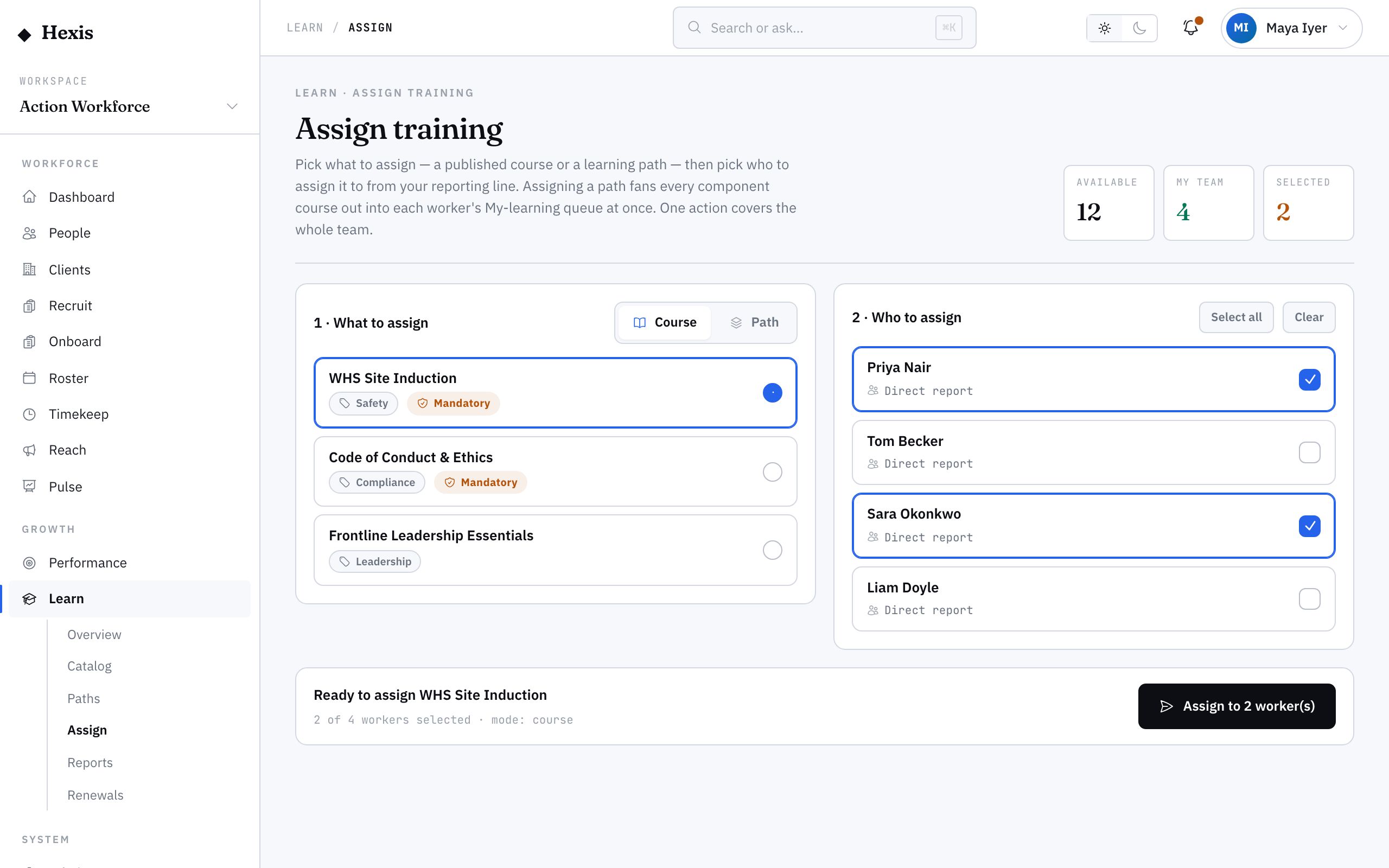
Assigning is how a manager pushes learning out instead of waiting for people to find it. You pick a course, choose who gets it — one person, a team, or a role group — and set a due date. Each person sees it land in their learning list, tagged as assigned, with the deadline attached.
It matters because some training can’t be left to chance. A new safety procedure, an updated client induction, a refresher a client now requires — these need to reach the right people on a clock you can see. Assigning gives you that, plus a live view of who’s done it and who’s falling behind.
When to use it
- A new procedure or policy means everyone needs the same course
- A client now requires a specific induction before workers attend site
- A new starter needs their onboarding training set up
- You want a hard due date on training, not an open invitation
- You need to evidence that a group was trained by a certain date
How it works
Step by step.
- 1
Choose the course
Start the assign flow and pick the course to send. You’ll see its duration and whether it carries a recurring renewal.
- 2
Pick who gets it
Add recipients one by one, or select a whole team or role group in a single tick. Hexis shows you the headcount as you build the list.
- 3
Set a due date
Give the assignment a deadline. Anyone who hasn’t finished by then shows as overdue, so you can chase early.
- 4
Review and confirm
Check the recipient count and the date, then confirm. Each worker’s learning list gains the course, tagged as assigned.
- 5
Track progress
Watch completion from your dashboard — who’s not started, who’s in progress, who’s done. Nudge the stragglers before the date passes.
Worked example
Follow it through.
The scenario
Coastline Logistics updated its site induction, and Northwind has 12 Warehouse Operators working there who all need the new version.
- 1 A coordinator opens the assign panel and selects “Coastline Logistics Site Induction 2025”.
- 2 They pick the Warehouse Operator role group filtered to the Docklands Distribution Centre — 12 workers.
- 3 They set the due date to Fri 13 Jun.
- 4 They confirm; all 12 see the course appear in their learning list, marked assigned and due Fri 13 Jun.
- 5 By Wed, the dashboard shows 9 complete, 2 in progress, 1 not started — Jack Mason.
The result
Twelve workers have the induction with a clear deadline, and the coordinator can see exactly who to nudge before Friday.
Tips & notes
Good to know.
- Assigning by role group is faster and self-maintaining — if a new Warehouse Operator joins before the due date, you can re-run the assignment to catch them.
- Assigned courses carry their due date into the worker’s view, so they always know what’s urgent.
- For training that must repeat, assign the course once — its recurrence cadence will re-trigger renewals automatically rather than needing a fresh assignment each cycle.
- If someone’s already completed the course recently, you can leave them off the list to avoid duplicate work.
When you’re done
The right people have the course with a deadline, and you can track completion to the day.