What it is
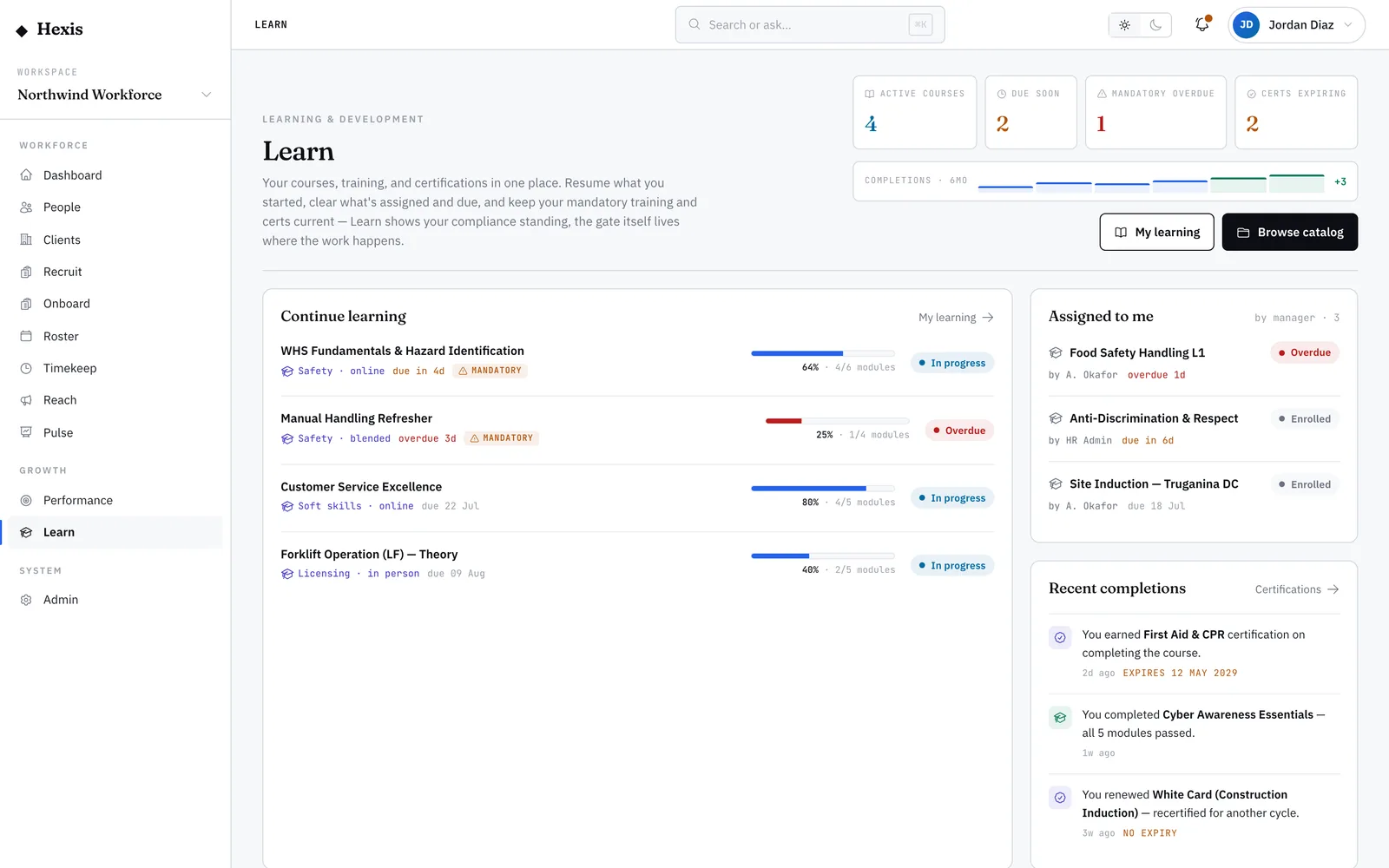
My learning is your personal ledger of training — every course you’re enrolled in, with its status, any due date, and how far through you are. It rolls your module-by-module progress into a single percentage, so you always know what’s started, what’s finished, and what’s waiting.
It matters because training stacks up: a course you self-started, two your manager assigned, a renewal that came due. This is the one place that answers “what am I in the middle of, and what’s urgent?” — and it puts the Continue button right where you stopped.
When to use it
- You want to resume a course you started earlier
- You need to see what training is due and when
- A manager assigned you something and you’re looking for it
- You want proof of what you’ve completed
- You’re checking whether anything is overdue
How it works
Step by step.
- 1
Open my learning
From the Learn home, open your learning list. Every course you’re enrolled in is here, with a progress bar on each.
- 2
Read the statuses
Each course shows enrolled, in progress, or completed. Assigned courses carry a due date; ones you started yourself may not.
- 3
Sort by what’s urgent
Put due-soon or overdue items at the top so nothing slips. Mandatory courses are flagged so you can clear those first.
- 4
Continue where you left off
Click Continue on an in-progress course to jump straight back to the next unfinished module — no scrolling to find your place.
- 5
Confirm a completion
When the last module is done, the course flips to completed and, if it earns one, a certification is recorded for you.
Worked example
Follow it through.
The scenario
Tom Okafor, a Warehouse Operator, has three courses on the go and isn’t sure what to do next.
- 1 Tom opens his learning list and sees three items: a forklift refresher (60% done), a manual-handling course (assigned, due Mon 9 Jun), and a fire-safety course he completed last week.
- 2 He sorts by due date; the manual-handling course jumps to the top, due in two days.
- 3 He clicks Continue on it and lands on the module he hadn’t finished.
- 4 He completes the final two modules and passes the quiz.
- 5 The course flips to completed and the due-date warning clears.
The result
Tom’s manual-handling course shows completed and on time, and his list now highlights the forklift refresher as the next thing to finish.
Tips & notes
Good to know.
- The progress percentage is the share of modules you’ve completed — so a 60% course really does have just under half its modules left.
- A course can lapse back to expired if it’s on a recurring cadence and the renewal date passes; it’ll reappear here when it’s time to redo it.
- Continue always takes you to your first unfinished module, so you never lose your place between sessions.
- Completed courses stay in your list as a record — handy when a manager or client asks what you’ve done.
When you’re done
You know exactly what’s in progress, what’s due, and you can pick up any course in one click.