What it is
A learning path is a set of courses bundled into a deliberate sequence — a curriculum, not a single lesson. Building one turns a scatter of courses into one journey: you name the path, describe the role or skill it builds, then add courses from your catalog in the order learners should take them. Workers follow it end to end, with one progress view across the whole thing.
It matters because the order of learning is a decision worth making once, well. Theory before practical, induction before site access, fundamentals before the advanced module. Encode that sequence into a path and every worker takes the same well-designed route — and you stop answering “which course do I do first?” one message at a time.
When to use it
- Several courses together make up a role and you want them taken in order
- You’re standardising how people train into a position
- You keep getting asked what to do first across a group of courses
- You want one tracked program instead of loose, optional enrolments
- You’re designing a structured onboarding journey for a new role
How it works
Step by step.
- 1
Name the path
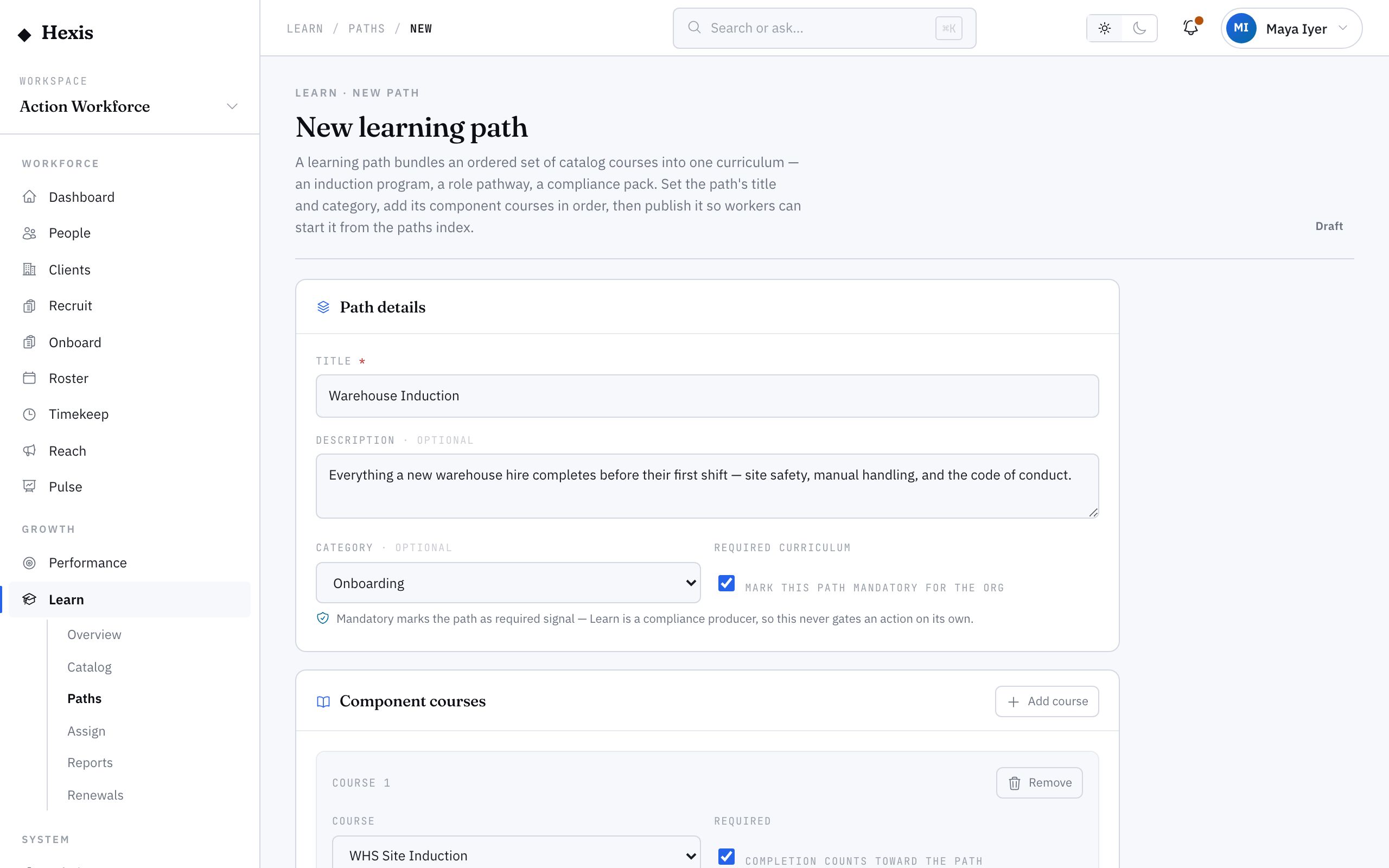
Give the path a clear name and a short description of the role or skill it builds, so workers know what they’re signing up for.
- 2
Add courses from the catalog
Pick existing published courses to include. You’re assembling, not authoring — the courses already exist in your catalog.
- 3
Set the order
Arrange the courses into the sequence learners must follow. Drag to reorder; the first becomes available and the rest queue behind.
- 4
Save as draft
Save while you refine the line-up. A draft path stays private and out of the paths list until you publish.
- 5
Review the journey
Step through the path as a learner would to confirm the order reads logically and nothing essential is missing.
- 6
Publish the path
Publish to make the path available. Workers can now enrol and follow it from end to end.
Worked example
Follow it through.
The scenario
Northwind wants a single, consistent journey for new Forklift Operators instead of pointing each one at courses ad hoc.
- 1 An administrator opens the path builder and names it “Forklift Operator Pathway”, with a one-line description.
- 2 They add four published courses: safety induction, forklift theory, practical assessment, and ticket verification.
- 3 They reorder so safety induction is first and ticket verification last.
- 4 They save as draft and walk the journey to check the order.
- 5 They publish; the path appears in the paths list for workers to enrol.
The result
A published Forklift Operator Pathway exists, so every new operator follows the same four courses in the same order.
Tips & notes
Good to know.
- Only published courses belong in a path — draft or retired ones would leave learners stuck, so finish your courses first.
- Keep paths focused on one role or skill; a path that tries to cover everything is one nobody finishes.
- Reordering a published path affects new enrolments cleanly, but check whether anyone is mid-journey before a big reshuffle.
- A good path mirrors a real progression — induction, fundamentals, assessment — so completion genuinely means readiness.
When you’re done
A published, ordered learning path is live for workers to follow toward a role or skill.