What it is
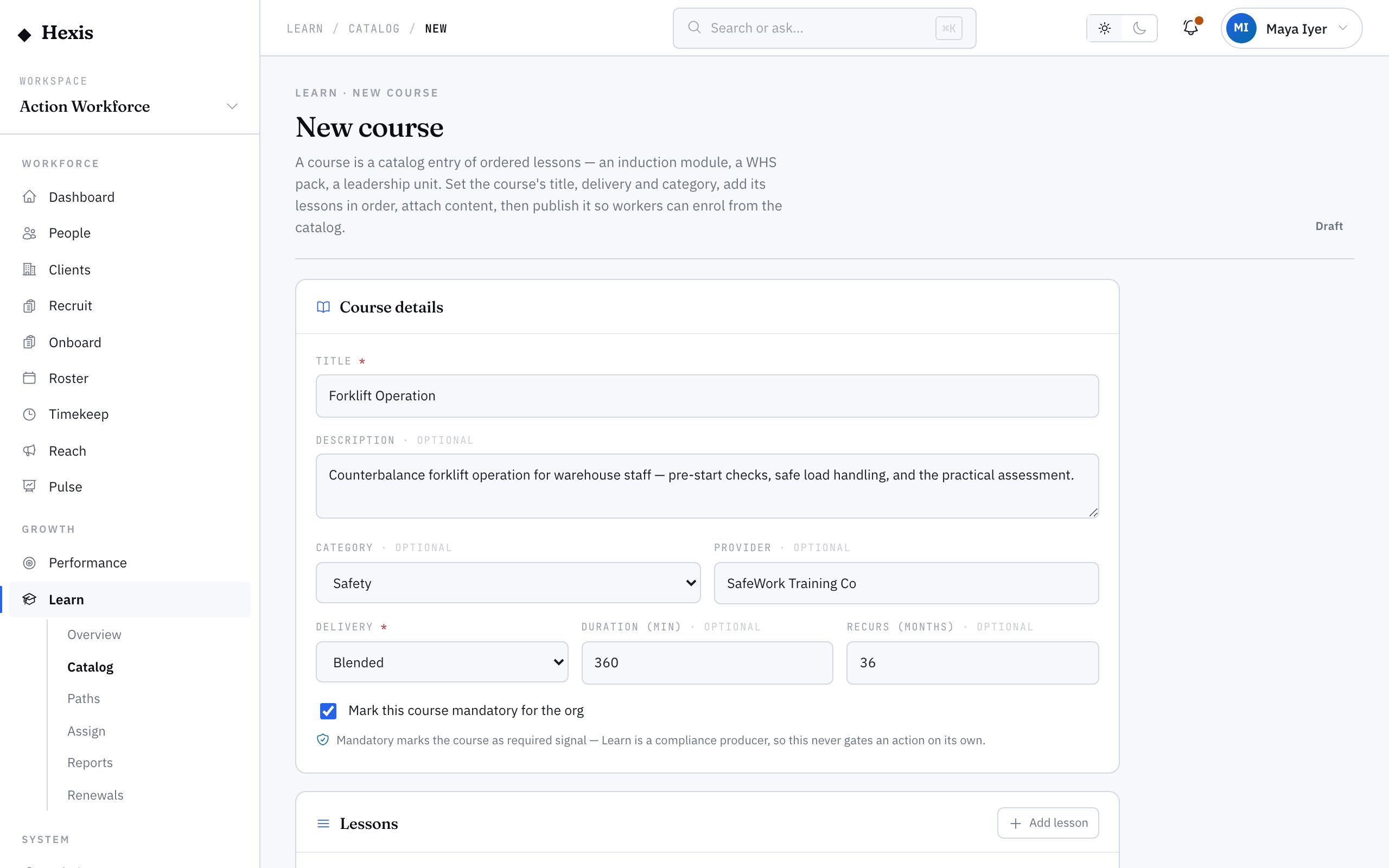
Building a course is how new training enters your catalog. You give it a title, a category, a provider and a delivery mode, set its duration, decide whether it’s mandatory and how often it must repeat, then build the body: an ordered list of modules — a video, a document, a quiz — that learners work through in turn.
It matters because off-the-shelf training rarely fits exactly. A client-specific induction, your own safe-work procedure, an internal leadership program — these live in your catalog only if you build them. Drafting privately first, then publishing, means you control exactly when learners can see and start it.
When to use it
- You need a course that no external provider offers
- A client requires a tailored induction you have to author yourself
- You’re turning an internal procedure into structured training
- You want to replace a retired course with an updated version
- You’re assembling modules from video, documents and quizzes into one course
How it works
Step by step.
- 1
Set the course header
Give the course a title and category, name the provider, and choose a delivery mode — online, in person or blended. Add the total duration.
- 2
Decide the cadence
Mark whether it’s mandatory, and if it must repeat, set the recurrence in months. That cadence is what later drives renewals.
- 3
Add modules in order
Add each module — a video, a document, or a quiz — and set its own duration. Drag to reorder; learners take them top to bottom.
- 4
Save as draft
Save while you work. A draft is private to you and doesn’t appear in the catalog, so you can refine it safely.
- 5
Preview the learner view
Open the course detail as a learner would see it to check the module order, durations and progress ring read correctly.
- 6
Publish to the catalog
When it’s ready, publish. The status flips to published and the course appears in the catalog for everyone to find and enrol.
Worked example
Follow it through.
The scenario
Brightwater Health asked Northwind to deliver a tailored infection-control induction before any Care Worker attends their wards.
- 1 An administrator opens the course builder and titles it “Brightwater Infection Control Induction”, category Compliance, provider Internal, delivery Online.
- 2 They mark it mandatory and set recurrence to 12 months.
- 3 They add three modules: a 10-minute policy video, a 5-page hand-hygiene document, and a 10-question quiz — about 30 minutes total.
- 4 They save as draft and preview the learner view to confirm the module order.
- 5 Happy with it, they publish; the course appears in the catalog.
The result
A published, mandatory, yearly-recurring induction is in the catalog, ready to assign to every Care Worker booked at Brightwater Health.
Tips & notes
Good to know.
- Keep modules short and single-purpose — several 5-to-10-minute modules complete better than one long one.
- Set recurrence at build time if the course must repeat; it saves setting up renewals by hand later.
- Draft status is your safety net — nothing is visible to learners until you deliberately publish.
- When you replace an old course, retire the previous version rather than deleting it, so historical completions stay on record.
When you’re done
A new course is published in your catalog, ready to browse, assign and enrol in.