What it is
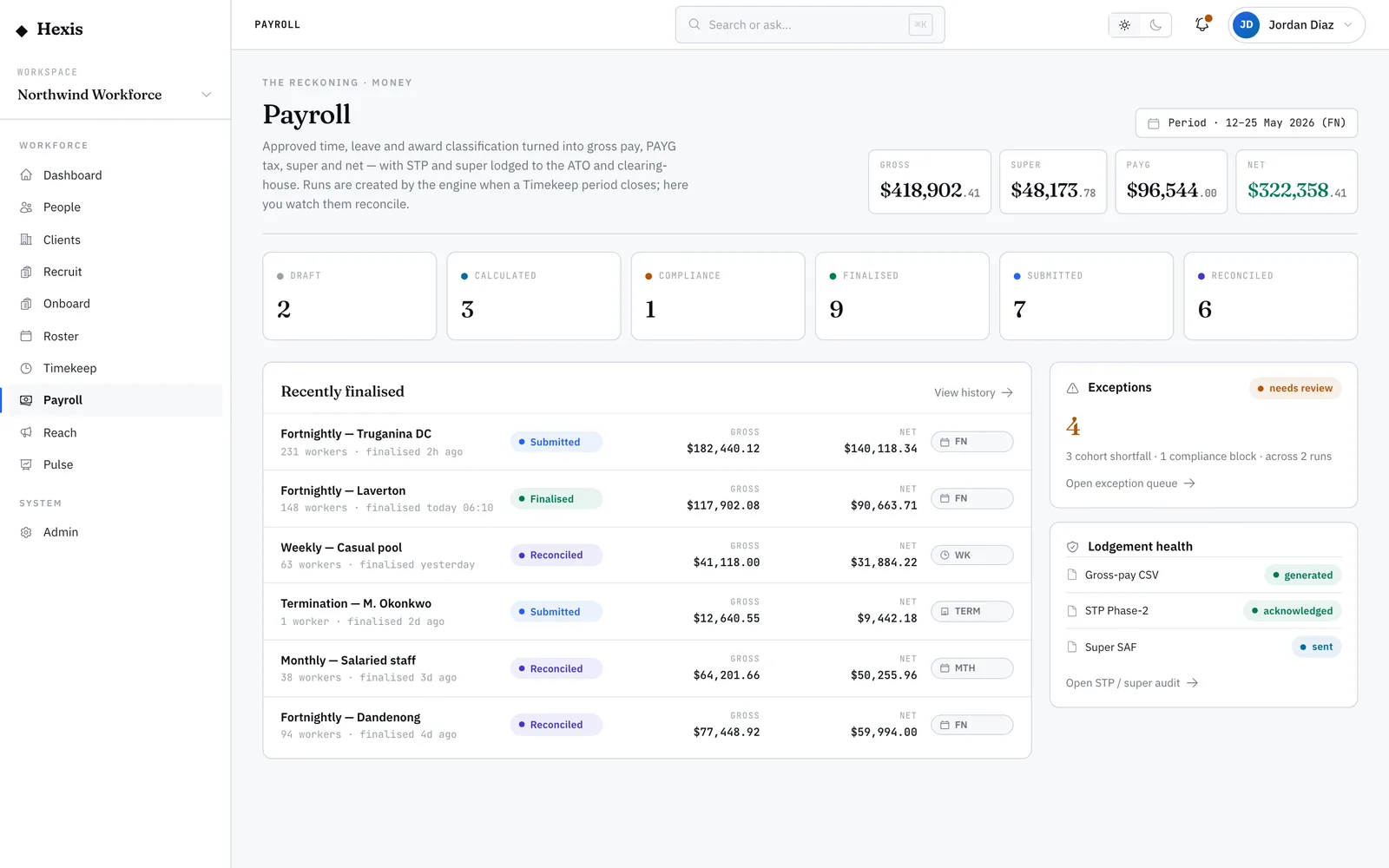
When a pay run finds something it can’t safely decide on its own, it sets it aside for a person rather than guessing. The exception queue is where all of those land: an individual worker line that looks wrong, a run whose totals fell short of what was expected, or a compliance check that failed at the finalise gate. Each one carries enough context to fix it in place.
Working this queue is what keeps a run honest. It’s the difference between catching a missing classification before payday and explaining an underpayment afterwards. Hexis groups the exceptions by kind and tells you exactly what tripped, so triage is reading, deciding and moving on — not detective work.
When to use it
- A run won’t finalise and you need to know why
- A worker’s line was flagged — missing classification, negative net or an odd amount
- The run total came in short of the expected baseline
- A compliance check blocked the finalise and you need to clear it
How it works
Step by step.
- 1
Open the queue
Reach it from the run that raised the flags or from the payroll control room. Exceptions are grouped by kind so you can work the worst first.
- 2
Read the reason
Each item states what tripped — a missing detail on a worker, a shortfall against the expected total, or a named compliance rule that failed. There’s no guessing what’s wrong.
- 3
Fix flagged workers
For an individual line, fix the cause — set the missing classification, correct the timesheet, or confirm a one-off adjustment — then recalculate that worker.
- 4
Investigate shortfalls
A cohort shortfall usually means missing timesheets or a divergence from a baseline run. Find the gap, get the time approved, and recalculate the cohort.
- 5
Clear compliance blocks
A compliance block names the rule that failed. Resolve the underlying issue — an expired ticket, a missing record — and re-run the check so the gate reopens.
- 6
Recalculate and finalise
Once the queue is empty, recalculate the run. With nothing flagged, the run is free to finalise.
Worked example
Follow it through.
The scenario
The fortnightly run for Northwind Workforce shows three exceptions before finalising.
- 1 Open the queue; you see one flagged worker, one shortfall and one compliance block.
- 2 Tom Okafor is flagged “no classification” — you set Warehouse Operator Level 2 and recalculate his line.
- 3 The shortfall is $1,420 below baseline; two Coastline Logistics night shifts at Harbour Point Terminal were never approved, so you get them approved.
- 4 The compliance block reads “expired security licence — Jack Mason”; L&D confirms the renewal, you re-run the check and it clears.
- 5 You recalculate the cohort and the queue empties.
The result
The exception queue shows zero items, the run recalculates to its expected total, and finalise is unblocked.
Tips & notes
Good to know.
- Work compliance blocks first — they’re the only kind that can hold the whole run from finalising.
- A negative net almost always points to an over-claimed deduction or a leave line booked twice; check the worker’s lines, not the rate.
- A shortfall against baseline is your early warning for missing time — resolve it before chasing individual workers.
- Resolving an exception doesn’t finalise the run; you still recalculate and finalise once the queue is clear.
When you’re done
An empty exception queue and a run that recalculates to its expected total and is free to finalise.