What it is
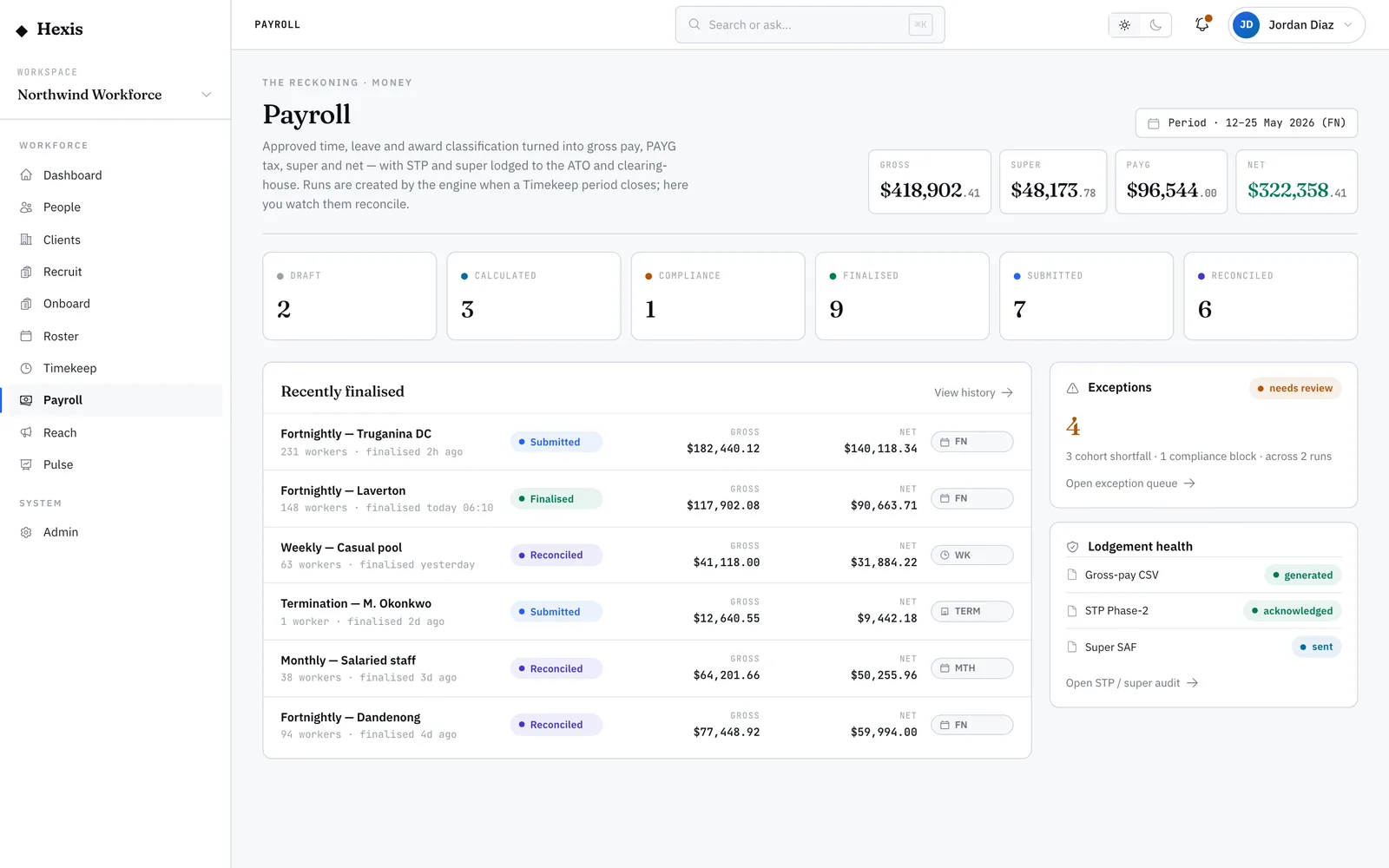
Single Touch Payroll (STP) is the ATO’s requirement to report pay, tax and super each time you pay people, rather than once a year. When a run finalises, Hexis produces the lodgements automatically: the STP pay event to the ATO, the super contribution file to the clearing house, and the PAYG reporting. Each one is tracked from sent to acknowledged, with the receipt id and a status you can audit.
This surface is your evidence that the obligations were met. It tells you, per run, what went out, what came back, and what (if anything) was rejected and needs re-lodging. Because the lodgements accumulate year-to-date figures and are idempotent, you can re-send safely without double-reporting.
When to use it
- You’ve finalised a run and want to confirm the ATO reporting went through
- A lodgement came back rejected and you need to fix and re-send
- You’re reconciling super lodgements against the clearing house
- An audit needs the receipt ids and acknowledgement status for a period
How it works
Step by step.
- 1
Open the lodgement ledger
It lists, per finalised run, every submission produced — the STP pay event, the super file and the PAYG reporting.
- 2
Check each status
Each submission moves from pending to sent to acknowledged, or to rejected. The status tells you whether the authority accepted it.
- 3
Note the receipt
An acknowledged submission carries the authority’s receipt id — the ATO or clearing-house reference you’d quote in any follow-up.
- 4
Action a rejection
A rejected lodgement states why. Fix the underlying data, then re-lodge — the submission accumulates year-to-date, so re-sending corrects rather than duplicates.
- 5
Confirm the period is clean
When every submission for the run reads acknowledged, the period’s reporting obligations are met and recorded.
Worked example
Follow it through.
The scenario
The fortnightly run for Northwind Workforce has finalised and you’re confirming its lodgements.
- 1 Open the ledger for the “FN · 26 May–8 Jun” run.
- 2 The STP pay event shows “Acknowledged” with an ATO receipt id; the super file shows “Sent”.
- 3 The PAYG line shows “Rejected — invalid tax file number for Daniel Cho”.
- 4 You correct Daniel’s tax file number on his record and re-lodge.
- 5 A few minutes later the PAYG line reads “Acknowledged” and the super file moves to “Acknowledged” too.
The result
Every submission for the run reads acknowledged with a receipt id, and the period’s STP, super and PAYG reporting is complete.
Tips & notes
Good to know.
- STP lodgements accumulate year-to-date and are safe to re-send — a re-lodge corrects the figures rather than double-reporting.
- Always capture the receipt id from an acknowledged submission; it’s your proof the authority accepted the report.
- A rejection usually points at one worker’s detail — a tax file number or fund reference — not the whole run.
- Super shows here as a lodgement; the contribution detail and due dates live on the superannuation view.
When you’re done
A complete, acknowledged set of STP, super and PAYG lodgements for the period, with receipt ids on record.