What it is
Margin alerts watch for erosion. After a pay rate or an on-cost moves, a rate card’s burdened margin — the charge against the fully loaded cost of employing the worker — can quietly fall below the floor you set for it. A re-scan recomputes the burdened margin on every active card and raises an alert where one has breached, or resolves an alert where a card has recovered.
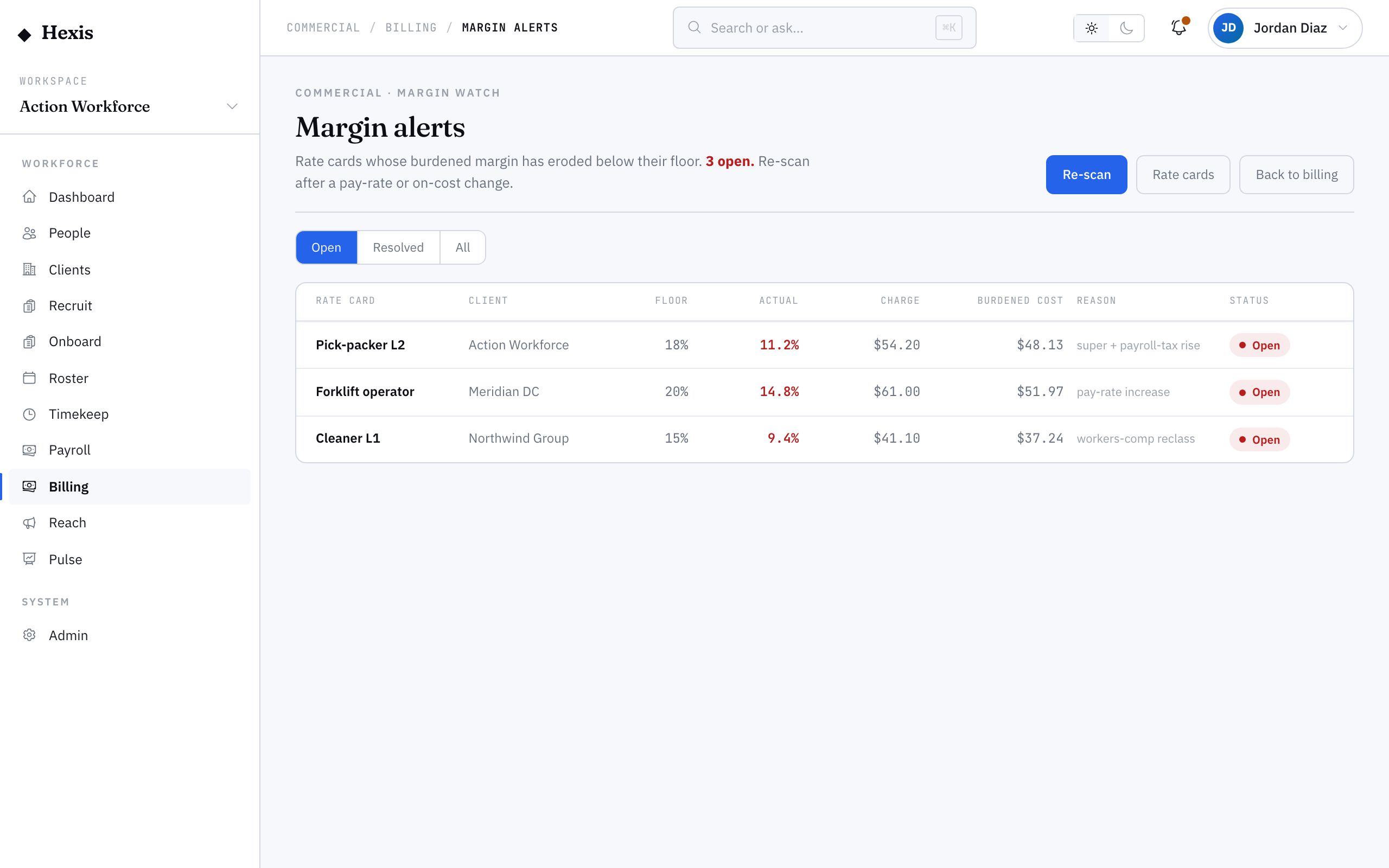
The board lists each alert with the rate card, client, the floor and the actual margin, the charge, the burdened cost and the reason, filterable to open, resolved or all. It is the difference between finding out you are billing below your intended margin now, versus discovering it months later in a profit review. Run a scan whenever pay rates or on-costs change.
When to use it
- A pay rate or an on-cost component has changed
- You want to confirm no card is billing below its margin floor
- You suspect a client’s work has quietly become unprofitable
- You are reviewing which cards have breached and need repricing
- You want to confirm a fixed card has cleared its alert
How it works
Step by step.
- 1
Open the margin-alerts board
Go to the margin alerts view. The lede shows the open-alert count; the list shows each breached card.
- 2
Re-scan the cards
Run a re-scan to recompute every active card’s burdened margin. It raises alerts on new breaches and resolves cards that have recovered.
- 3
Read each alert
For each alert, see the rate card, client, the floor against the actual margin, the charge, the burdened cost and the reason it breached.
- 4
Reprice the breached card
For a real breach, update the rate card’s charge — or revisit the pay or on-costs — to bring the margin back above its floor.
- 5
Confirm it clears
Re-scan again; a card you have fixed moves from open to resolved.
Worked example
Follow it through.
The scenario
Super and payroll-tax on-costs have risen, and you want to check the Coastline Logistics warehouse card.
- 1 Open the margin-alerts board and run a re-scan.
- 2 An open alert appears for the Coastline Logistics Warehouse Operator card.
- 3 It shows a 20 percent floor against an actual burdened margin of 16 percent.
- 4 Update the charge rate on that card to restore the margin above 20 percent.
- 5 Re-scan; the Coastline alert moves to resolved.
The result
The Coastline Logistics warehouse card is repriced back above its 20 percent floor, and its margin alert is cleared.
Tips & notes
Good to know.
- Margin here is burdened — it counts the full on-cost load, not just pay, so it tells you real profitability.
- Re-scan straight after any pay-rate or on-cost change; that is when breaches appear and are cheapest to fix.
- Filter to open alerts to get your repricing worklist; filter to resolved to confirm fixes landed.
- A breach usually traces back to a rate card — fixing the charge there is what clears the alert.
When you’re done
Every rate card billing at or above its margin floor, with breaches caught and repriced before they erode profit.